Product detail

Nextcloud Enterprise Workspace

A self-hosted, KVKK & GDPR-compliant digital workspace — Files, Office, Talk, Calendar, Mail and a private AI Assistant. Delivered, hosted and supported by Done Dynamics from Türkiye and the EU.

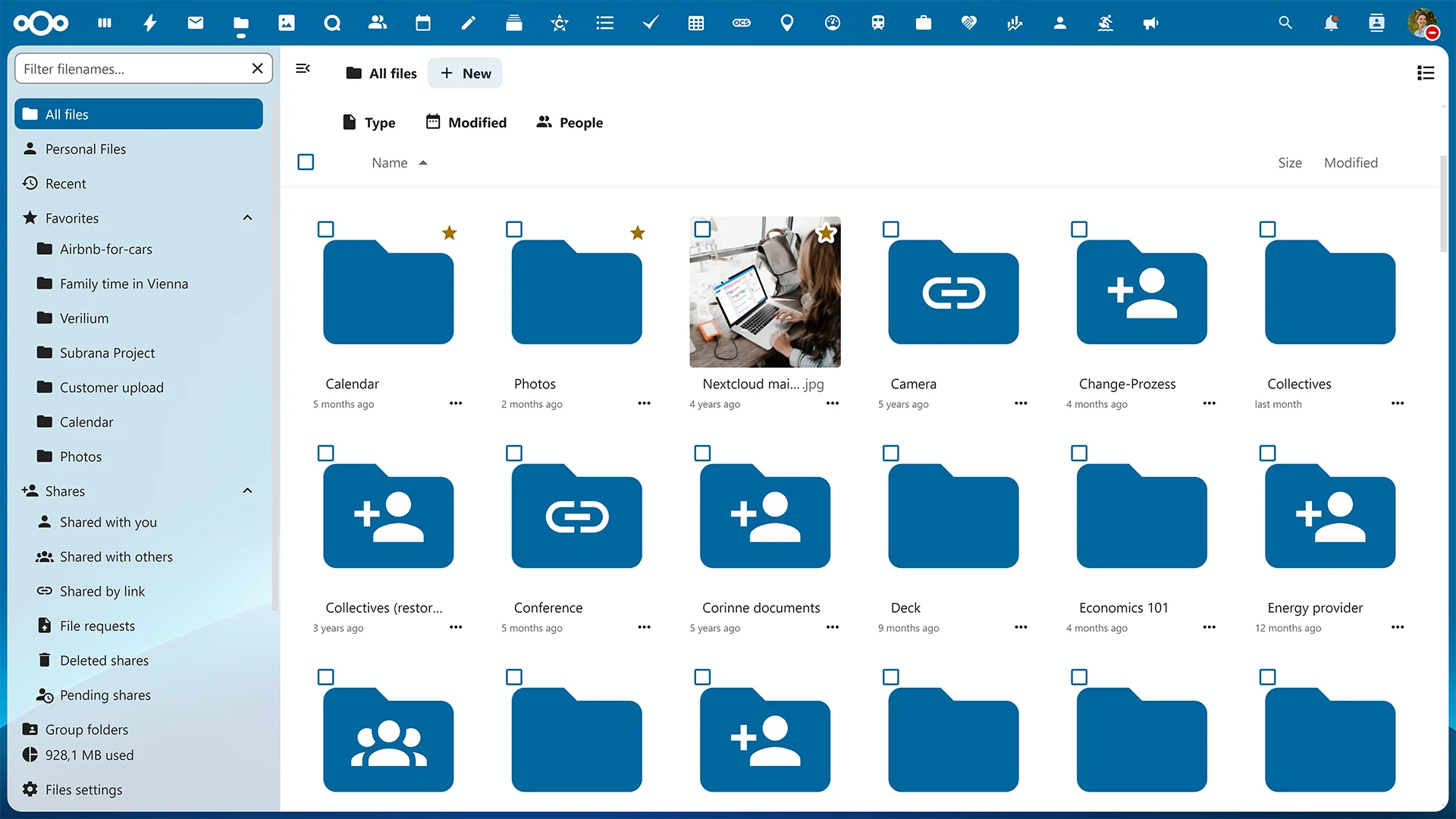
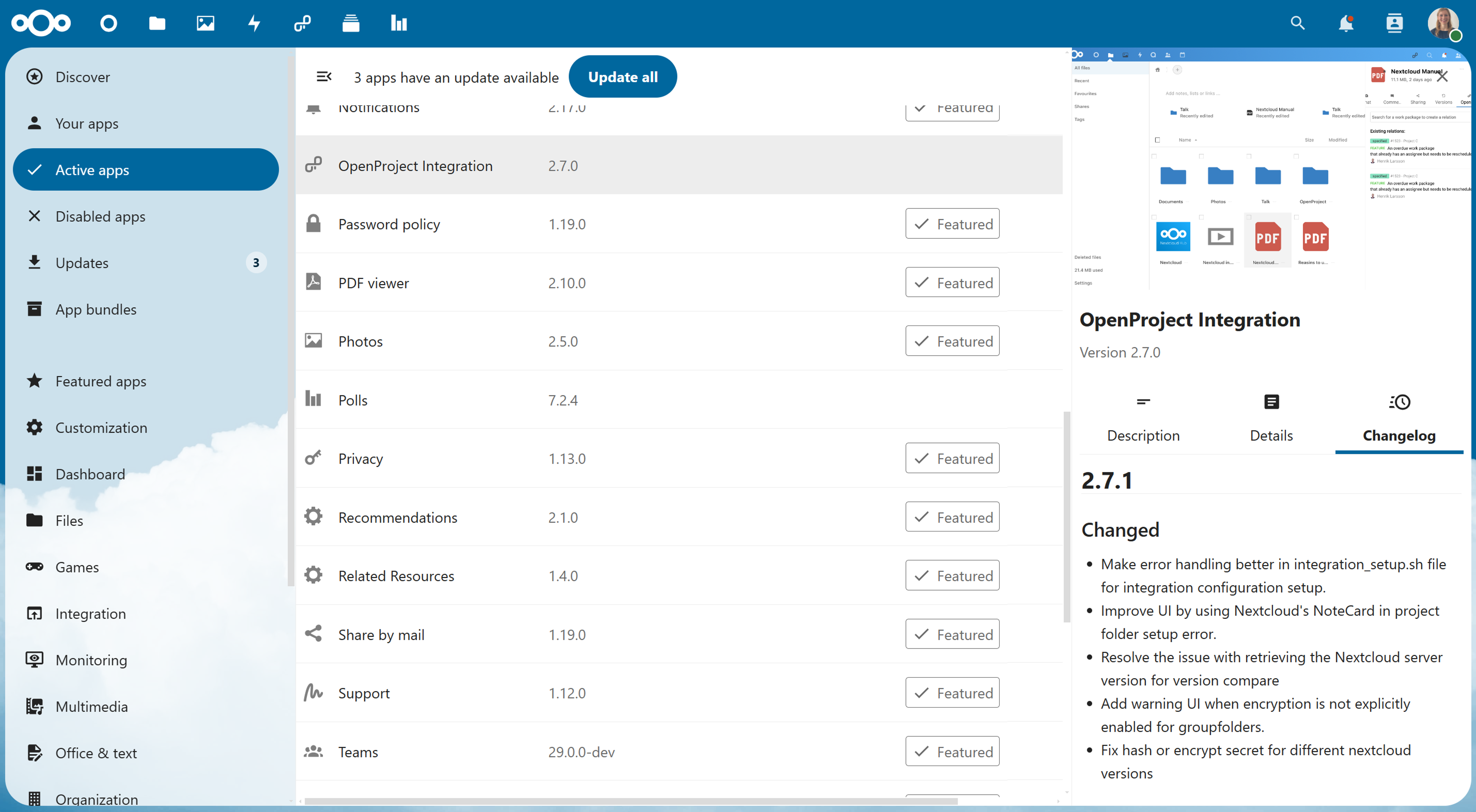
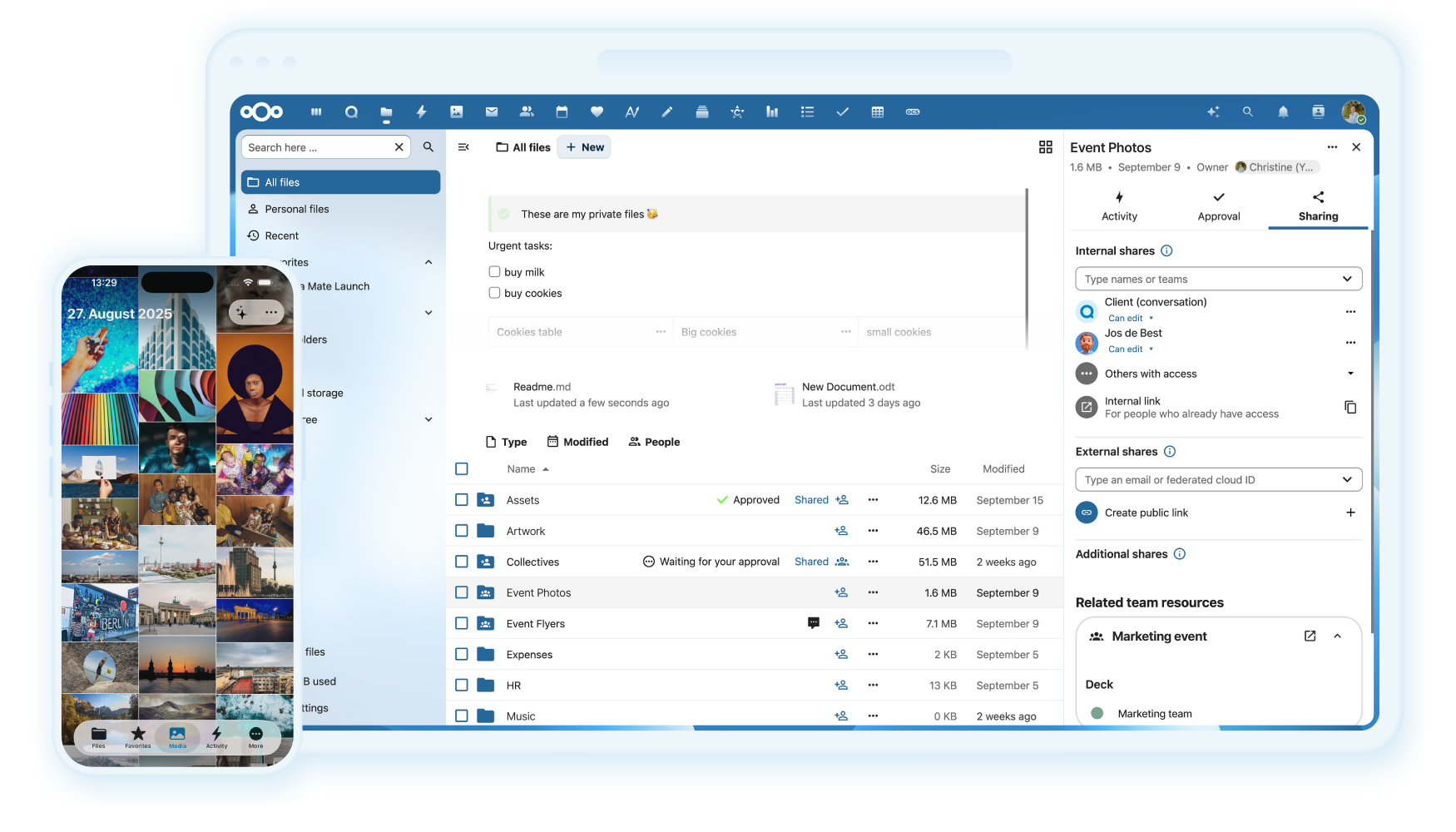
Nextcloud Hub 25 — modern Files view

Nextcloud is the leading open-source platform for content collaboration — files, real-time office editing, encrypted calls, calendar, mail and a private AI assistant in one product. Done Dynamics productises Nextcloud for enterprises that need a real Microsoft 365 or Google Workspace alternative without giving up data sovereignty. We deploy it in Türkiye or the EU, wire it into your identity provider, migrate your existing tenants, train your team and run the platform 24/7 — so you get the open-source freedom and the enterprise SLA in one contract.

Why Nextcloud

Sovereign. Affordable. Compliant. Private.

Four reasons enterprises move off Microsoft 365 and Google Workspace — and stay off.

Data sovereignty by default

Your documents, calls, calendars and AI prompts stay on infrastructure you actually control. Nothing trains a foreign model, nothing feeds a vendor dashboard. We deploy in Türkiye or the EU, with backup regions you choose. The audit trail belongs to you, not a third-party SaaS dashboard.

Cut Microsoft 365 cost up to 70%

Per-seat licensing punishes growth. Nextcloud is licensed flat, and Done Dynamics packages hosting, support and updates into a predictable subscription. Teams with 50+ seats typically see 50–70% lower total cost of ownership within the first year. You stop renting the same workspace you already pay engineers to use.

KVKK & GDPR by design

Data residency, access logging, retention rules and deletion workflows are part of the platform — not a paid add-on. We configure each tenant against KVKK Article 12 and GDPR Articles 5, 25 and 32 from day one. Auditors get logs, processors get a DPA, and your legal team stops chasing screenshots.

AI that does not leak to Big Tech

Nextcloud Assistant runs against models you choose — locally hosted Llama, Mistral, or a private OpenAI/Azure endpoint with no training opt-in. No prompt, file or transcript leaves your perimeter unless you explicitly allow it. The "ethical AI" rating system makes every model choice visible to admins and end users.

Capabilities

What you get on day one

Ten capabilities Done Dynamics configures, tunes and supports for every Nextcloud tenant we ship.

Nextcloud Assistant — Private AI
01

Nextcloud Assistant — Private AI

A built-in AI surface across Files, Mail, Talk and Office that summarises documents, drafts replies, transcribes meetings and answers questions over your own data. Unlike Copilot or Gemini, every model is pluggable — local Llama 3, Mistral, or a private endpoint of your choice. Admins see exactly which model serves which request and can pin entire teams to ethical, on-prem models. A municipal client of ours uses it to summarise 300-page tender PDFs in seconds without a single token leaving Türkiye. Done Dynamics installs, sizes and benchmarks the model stack as part of the rollout.

  • Free Prompt, Context Chat (RAG over your files), summarisation, translation
  • Pluggable LLM backends: local GGUF, Ollama, vLLM, private Azure OpenAI
  • Per-group model policy and audit log of every AI call
  • Speech-to-text transcription for Talk meetings, offline-capable
End-to-End Encrypted Calls (Talk)
02

End-to-End Encrypted Calls (Talk)

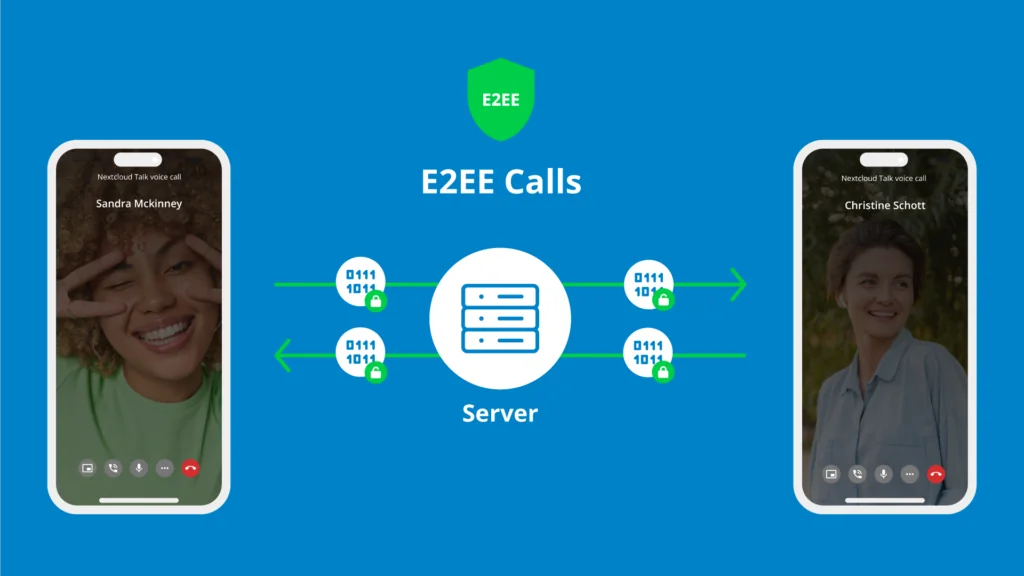
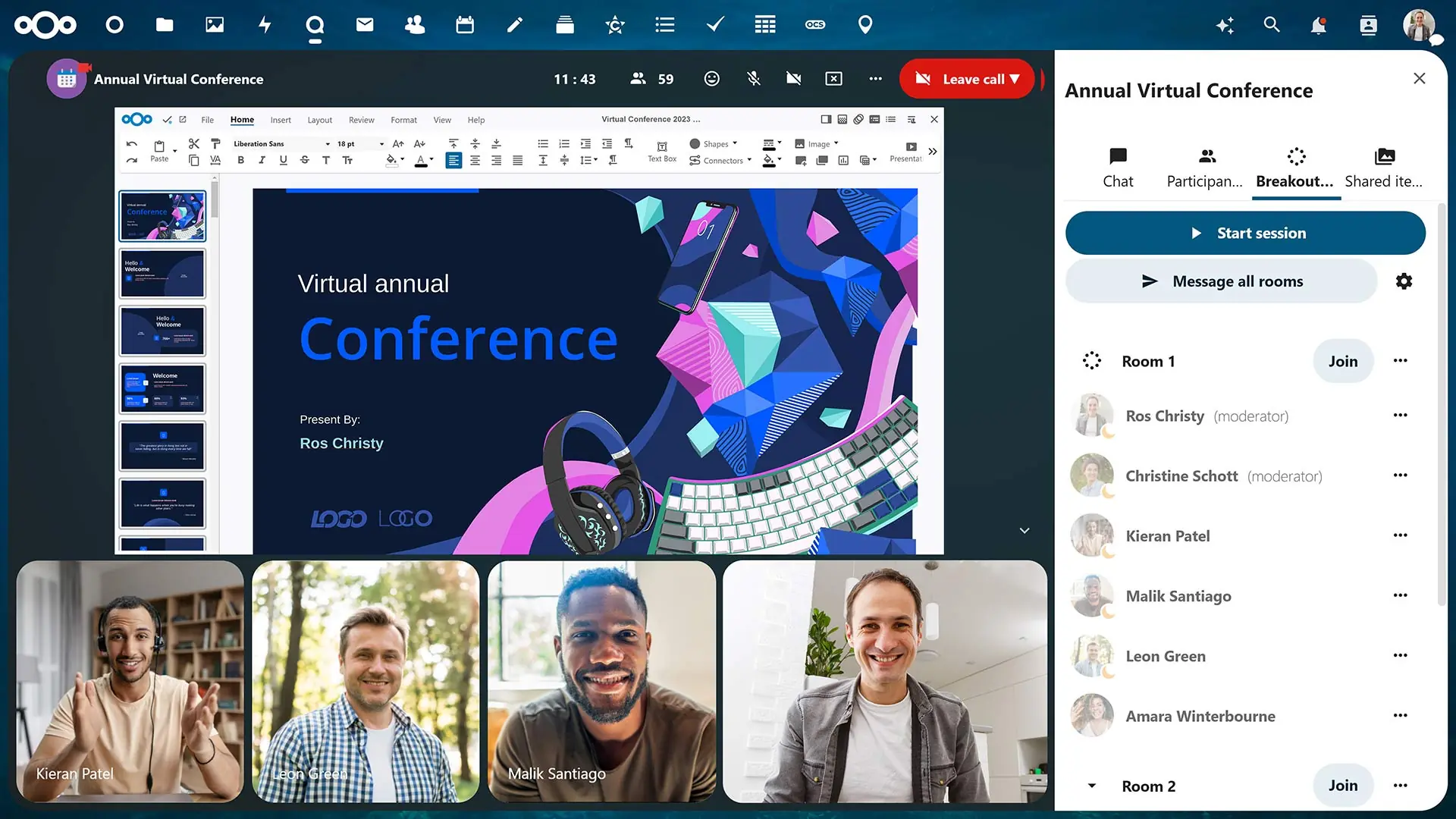
Nextcloud Talk is a full Zoom/Teams replacement with one critical difference: 1:1 and group calls can run truly end-to-end encrypted, with keys that never touch the server. Chat, screen share, breakout rooms, lobby, polls, recording and SIP dial-in are all included. For regulated sectors — law firms, clinics, finance — this is the only call stack we recommend for client conversations. Done Dynamics ships it with a TURN/STUN cluster sized for your concurrency profile so quality holds under load.

  • True E2EE calls; signalling server cannot decrypt media
  • Up to 100+ participants per room with HPB (High-Performance Backend)
  • Persistent chat, threads, reactions, file attachments, polls
  • SIP gateway for landline / PSTN dial-in and out
  • Mobile clients for iOS and Android with push notifications
4–6× Faster File Uploads
03

4–6× Faster File Uploads

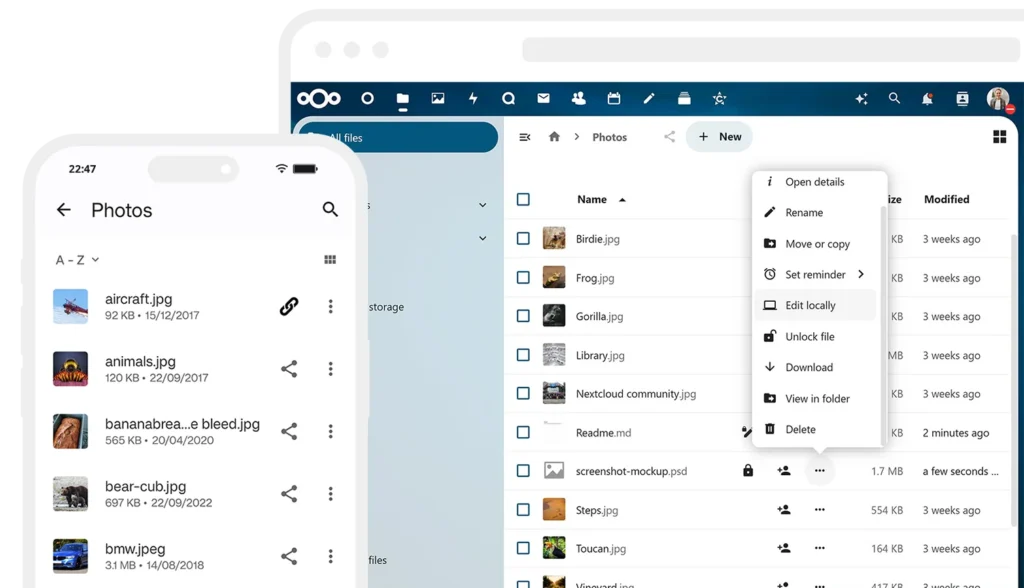
Hub 9 and later ship a rewritten chunked upload pipeline that parallelises transfers and validates integrity stream-side. In real customer benchmarks we see 4–6× faster uploads on the same bandwidth versus Hub 5, plus dramatically smaller memory pressure on the server. Resumable transfers survive flaky hotel Wi-Fi and mobile handovers without restarting from zero. Editorial and media teams uploading 50–200 GB shoots feel this most.

  • Parallel chunk uploads with adaptive concurrency
  • Resumable transfers across network changes
  • Server-side checksum validation; no silent corruption
  • Background sync clients for Windows, macOS, Linux
Teams 2.0 — Group Management
04

Teams 2.0 — Group Management

The new Teams model replaces flat user groups with structured circles: nested teams, owners, moderators, guests, and external collaborators all in one object. Permissions on files, shares, calendars and Talk rooms all bind to a team — so onboarding a new hire is one click, not fifteen. SCIM and LDAP/AD sync mean HR changes propagate automatically. Done Dynamics maps your existing org chart into Teams during migration so day-one feels familiar.

  • Nested teams with role inheritance
  • SCIM 2.0, LDAP and Active Directory provisioning
  • External guest accounts with policy-bound expiry
  • Per-team storage quota and retention policy
Modern UI — Hub 25 Autumn Release
05

Modern UI — Hub 25 Autumn Release

The autumn Hub 25 release ships a redesigned files view, a unified dashboard, a quieter navigation rail and a real dark mode that respects system preference. Density is configurable so power users get more rows and casual users get more breathing room. Accessibility was rebuilt — full keyboard nav, ARIA semantics, and AA contrast across the entire interface. We deliver every new tenant on the latest stable Hub release and keep you in step with quarterly upgrades.

  • Redesigned Files, Dashboard, Mail and Calendar surfaces
  • System-aware light / dark / high-contrast themes
  • Custom branding: logo, palette, login background per tenant
  • WCAG 2.2 AA accessibility, full keyboard and screen-reader support
Nextcloud Office — Real Co-Editing
06

Nextcloud Office — Real Co-Editing

Nextcloud Office (Collabora-based) opens .docx, .xlsx and .pptx natively, with real-time multi-cursor co-editing, comments, change tracking and version history. Round-tripping with Microsoft Office is reliable enough that mixed teams stop noticing they are on different stacks. Files never leave your tenant — no Office365 round-trip, no Google Drive copy. Done Dynamics sizes the Office node separately so heavy spreadsheets do not slow down the rest of the platform.

  • Native .docx / .xlsx / .pptx editing in the browser
  • Multi-user real-time editing with presence cursors
  • Track changes, comments, version history, locking
  • PDF annotation and form filling
Meetings & Calendar Integration
07

Meetings & Calendar Integration

Calendar, contacts and tasks (CalDAV / CardDAV) sync cleanly with iOS, macOS, Outlook and Thunderbird. Scheduling appointments creates a Talk room automatically; invitees join with one click whether they have an account or not. Free/busy lookups respect the organisation hierarchy you defined in Teams. Resource calendars (meeting rooms, vehicles, equipment) plug into the same picker your staff already use.

  • CalDAV / CardDAV for native client sync
  • Appointment booking with public links and time-zone awareness
  • Auto-generated Talk meeting rooms per event
  • Resource booking (rooms, vehicles, equipment)
Smart Search & Smart Picker
08

Smart Search & Smart Picker

Unified search reaches across files, mail, Talk chats, calendar, deck cards and external apps via the Smart Picker. Hit Ctrl+K, type a project name, and Done Dynamics will have indexed everything from your migrated SharePoint to last week's meeting recording. The Smart Picker lets you reference a file, GitHub issue, OpenProject task or YouTube link inline in any text field. Search results are permission-aware — users never see what they cannot open.

  • Full-text indexing of Office, PDF and image (OCR) content
  • Smart Picker references across Files, Talk, GitHub, OpenProject
  • Permission-filtered results; no metadata leakage
  • Saved searches and shareable query links
OpenProject, GitLab & Integrations
09

OpenProject, GitLab & Integrations

OpenProject is the natural project-management companion — work packages link directly to Nextcloud files with two-way sync, comments and status. GitLab, Mattermost, Jitsi, Moodle and Onlyoffice all have first-class connectors. Done Dynamics builds the integration layer so a new task in OpenProject auto-creates the brief in Files, the meeting in Talk, and the milestone in Calendar. Your project lead stops gluing six tools together with email.

  • OpenProject ↔ Nextcloud file linking and notifications
  • GitLab, Mattermost, Jitsi, Moodle, Zammad connectors
  • Webhooks and OCS API for custom automation
  • SSO across the whole integration mesh via OIDC / SAML
A Real Microsoft 365 / Google Workspace Alternative
10

A Real Microsoft 365 / Google Workspace Alternative

Files + Office + Mail + Calendar + Contacts + Talk + Tasks + Notes + Whiteboard — one login, one billing line, one support contract. Migration tooling pulls OneDrive, SharePoint document libraries, Google Drive folders, Outlook PST and Gmail directly into Nextcloud with permissions preserved. We have moved organisations of 30 to 1,200 users without losing a single share or calendar invite. Once you are off Microsoft 365, you are off the renewal treadmill — pricing stays linear with users, not with feature tiers.

  • OneDrive / SharePoint / Google Drive / Dropbox migration
  • PST and Gmail / Exchange mail migration with folder mapping
  • Outlook plugin so Windows users keep their familiar client
  • Mobile parity on iOS and Android, including offline mode
Done Dynamics delivery model

How we run Nextcloud in production

Hardened defaults, predictable operations, real SLAs — six things every tenant gets, on every tier.

Docker AIO setup

We deploy the official Nextcloud All-in-One container stack hardened to Done Dynamics standards — reverse proxy, Redis, HPB, Talk, Office and Whiteboard pre-wired and version-locked.

Türkiye or EU region

You pick the data location. Türkiye (İstanbul) for KVKK-bound workloads, Frankfurt / Amsterdam for EU customers. Backups always land in a second region you approve.

AES-256 at rest, TLS 1.3 in transit

Volumes, object storage and database are encrypted at rest. TLS 1.3 with HSTS, OCSP stapling and modern cipher suites on every endpoint, including the mobile clients.

Automated, tested backups

Snapshots run on the schedule you define and restore tests run at least twice a year in an isolated environment. We deliver the integrity report — untested backups are not backups.

SSO with AD / Azure AD / Okta / Keycloak

OIDC, SAML 2.0 and LDAP/AD connectors are standard. Users keep one password, you keep one identity source of truth, and offboarding is one toggle.

24/7 enterprise support

Phone, email and chat support with SLAs from 1-hour critical response. Engineers who deploy your tenant are the same engineers who answer the pager.

Who it is for

Teams that get the most value

Media & production teams

Editors who upload 50–200 GB shoots benefit from chunked, resumable transfers and CDN-backed previews. Files stay inside your studio, not on a foreign hyperscaler.

Agencies & consultancies

Client folders with guest access, watermarked previews and audit logs replace the chaotic WeTransfer + Dropbox + Slack stack. Every share is policy-bound.

Software teams

GitLab, OpenProject, Mattermost and Nextcloud Office over a single SSO. Tickets link to designs, designs link to repos, repos link to deploys.

Municipalities & public sector

KVKK-grade residency, signed-document workflows and tender-archive search make Nextcloud the natural fit for local government. We have municipal references on request.

Law firms

E2EE Talk for client calls, version-controlled case folders and full deletion-on-demand workflows. Mandate-bound retention is wired in from day one.

Healthcare & clinics

Patient files stay on-prem or in KVKK-bound storage. Talk replaces non-compliant consumer video tools for tele-consultation, with full audit trail.

NAS users outgrowing Synology

When five users become fifty, a NAS in the back office is not enough. We migrate the share structure and user mapping into a properly managed Nextcloud tenant.

SMBs leaving Microsoft 365

Predictable per-seat-flat pricing, no surprise renewal hikes, and one Turkish or EU support contact. Most clients see ROI inside the first year.

Process

How we get you live

  1. 01

    Discovery

    We map your users, file volume, identity source, integrations and compliance constraints — typically a 60-minute workshop plus a written brief.

  2. 02

    Architecture

    Region, sizing, HA topology, backup plan and SSO design land in a one-page architecture document you approve before any infrastructure is provisioned.

  3. 03

    Setup & migration

    Tenant is provisioned, identity wired, OneDrive / SharePoint / Drive / Exchange content migrated with permissions preserved. Cut-over is scheduled around your working hours.

  4. 04

    Training

    Two live sessions for end users (90 minutes each), one for admins (half day) and a written runbook. Champions on each team get the deeper walkthrough.

  5. 05

    Maintenance

    Monthly patching, quarterly minor upgrades, yearly major upgrade, 24/7 monitoring and a quarterly health-and-cost review. We own the platform; you own the work.

Pricing

Three predictable tiers

Flat subscription, no per-feature upsells. Every tier gets every Nextcloud module.

Starter

10 – 25 users

Request quote
  • Single-region hosting (TR or EU)
  • Talk, Office, Calendar, Mail
  • Daily encrypted backup
  • Business-hours support, next-business-day SLA
  • Standard Nextcloud Assistant (community models)

Team

25 – 100 users

Request quote
  • HA topology with HPB for Talk
  • OpenProject + GitLab + Mattermost integration
  • Twice-daily backup, cross-region replica
  • 24/5 support, 4-hour critical SLA
  • Private LLM (Ollama / vLLM) for Assistant
  • SSO with AD / Azure AD / Okta

Enterprise

100+ users

Request quote
  • Dedicated tenant, custom architecture
  • Multi-region failover, RPO ≤ 15 min
  • 24/7 support with 1-hour critical SLA
  • Private GPU-backed LLM and Speech-to-Text
  • KVKK / GDPR audit support and DPA
  • Named technical account manager

Ready for your next software project?

Book a free 30-minute discovery call with our team.

Product backbone — the shared foundation under every project

Why a shared backbone?

When a single studio runs multiple projects in parallel, rebuilding each one from scratch is both wasted effort and a maintenance nightmare. At Done Dynamics we run authentication, observability, CI/CD, documentation and deployment as a single backbone across every engagement. Because of this backbone, a web development project that evolves tomorrow into a CRM software integration already has the infrastructure in place.

Underneath the backbone sits PostgreSQL, S3-compatible storage, a CDN and container-based deployment. On the backup side, KVKK/GDPR-compliant backup and database backup processes ship by default.

What it means for the client

In practical terms: from a single dashboard you can see the live status of your web application, your mobile application and your backups. The services page details how the backbone contributes to each practice. Regionally, our Alanya software, Antalya software and Istanbul software projects all run on this same backbone.

Adopting the backbone is not mandatory — for projects we inherit, we integrate it step by step. In the first conversation we listen to your existing infrastructure and prepare a migration plan.